Footer

    Download on the App StoreGet it on Google Play

    Giới thiệu

    • Tìm hiểu về VoiceTube
    • Giới thiệu dịch vụ học tập
    • Tham gia cùng chúng tôi
    • Câu hỏi thường gặp
    • Chủ đề tìm kiếm hot

    Tổng quan dịch vụ

    • Sổ từ vựng và câu
    • Campus
    • Tra từ điển
    • Nhập video và tạo phụ đề

    Kênh nổi bật

    Phân cấp video

    • A1 sơ cấp
    • A2 sơ cấp
    • B1 trung cấp
    • B2 trung cao cấp
    • C1 cao cấp
    • C2 thành thạo

    Quyền riêng tư˙Điều khoản˙
    ©2026 VoiceTube Corporation. All rights reserved

    third one

    US

    ・

    UK

    A1 sơ cấp
    pron.đại từCái thứ ba
    I already ate two cookies, but I think I'll have a third one.
    n.danh từLựa chọn thứ ba
    Of all the options, the third one seems the most reasonable.

    Phụ đề video

    [phụ đề] Steve Jobs Phỏng vấn bị mất 1990 [phiên bản 50 phút từ wgbh] ([subtitle] Steve Jobs Lost Interview 1990 [50 min version from wgbh])

    50:08[phụ đề] Steve Jobs Phỏng vấn bị mất 1990 [phiên bản 50 phút từ wgbh] ([subtitle] Steve Jobs Lost Interview 1990 [50 min version from wgbh])
    • things and use them. Ah the third one is starting to happen now. And the third one is let's
    • The third one is starting to happen now.

      Vậy tôi có thể bắt đầu với cái thứ hai không?

    A2 sơ cấp

    Tìm Dũng Khí Để Tiếp Tục Khi Bạn Muốn Bỏ Cuộc (Find The Courage to Keep Going When You Feel Like Giving Up)
    08:46Tìm Dũng Khí Để Tiếp Tục Khi Bạn Muốn Bỏ Cuộc (Find The Courage to Keep Going When You Feel Like Giving Up)
    • Here are just three of them, and the third one is especially for you.

      mà tôi nghe khi tập thể dục mà tôi cảm thấy tạo ra sự khác biệt lớn nhất.

    • Here are just three of them, and the third one is especially for you.

      mà tôi nghe khi tập thể dục mà tôi cảm thấy tạo ra sự khác biệt lớn nhất.

    A2 sơ cấp

    Thành ngữ tiếng Anh: động từ kép ba chữ (English Expressions: three-word phrasal verbs)
    11:03Thành ngữ tiếng Anh: động từ kép ba chữ (English Expressions: three-word phrasal verbs)
    • Now, what's the third one we did? The third one we did was "could we team up with". Now,

      Bây giờ, cái thứ ba chúng ta đã làm là gì? Cái thứ ba chúng ta đã làm là "could we team up with". Bây giờ,

    • "Put up with." Now, what's the third one we did?

      ý tưởng này" -- đó là một ý tưởng mà chúng ta chưa từng có trước đây, bổ sung, và nó để cải thiện

    A2 sơ cấp

    Chade-Meng Tan: "Search Inside Yourself", Tác giả tại Google (Chade-Meng Tan: "Search Inside Yourself", Authors at Google)
    54:15Chade-Meng Tan: "Search Inside Yourself", Tác giả tại Google (Chade-Meng Tan: "Search Inside Yourself", Authors at Google)
    • There's a third one, which is even more profound, which is this: if you experience an emotion,

      Có một thứ ba, thậm chí còn sâu sắc hơn, đó là: nếu bạn trải qua một cảm xúc,

    • There's a third one, which is even more profound.

      khỏi việc phục vụ lớn hơn. Tuy nhiên, nếu tôi đã hạnh phúc, và tôi cảm thấy mình được tự do đóng góp,

    A2 sơ cấp

    Sao Diêm Vương có phải là một hành tinh không? ! (Is Pluto a planet? !)

    04:45Sao Diêm Vương có phải là một hành tinh không? ! (Is Pluto a planet? !)
    • A few years later, they found a third one: Juno.
    • A few years later they found a third one, Juno, and then, funnily enough, a fourth one,
    B1 trung cấp

    Người Khao Khát Tình Yêu Đến Mức Không Bao Giờ Có Được (The Person Who Wants Love So Much They Never Get It)

    03:32Người Khao Khát Tình Yêu Đến Mức Không Bao Giờ Có Được (The Person Who Wants Love So Much They Never Get It)
    • They don't hold back; they suggest a second date almost immediately, and then a third one.

      Họ không ngần ngại; họ đề nghị buổi hẹn hò thứ hai gần như ngay lập tức rồi đến buổi hẹn hò thứ ba.

    A2 sơ cấp

    Tại sao bạn vẫn trượt phỏng vấn dù đã chuẩn bị (Why you're failing interviews even when you've prepared)
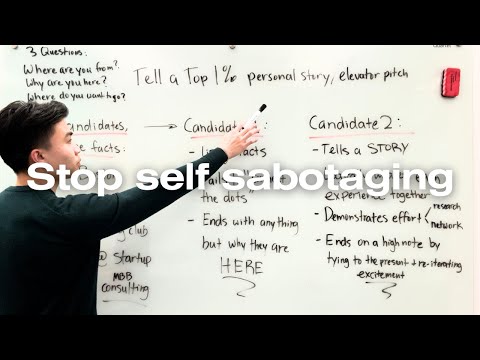
    17:38Tại sao bạn vẫn trượt phỏng vấn dù đã chuẩn bị (Why you're failing interviews even when you've prepared)
    • But the third one, impact, which is like, oh, I want to work with really big companies or I want to work with really big clients and I want to have a big impact on them, which is super vague by the way.

      Nhưng cái thứ ba, tầm ảnh hưởng, giống như là, ồ, tôi muốn làm việc với những công ty rất lớn hoặc tôi muốn làm việc với những khách hàng rất lớn và tôi muốn tạo ra tầm ảnh hưởng lớn cho họ, mà thực ra điều này rất mơ hồ.

    • But the third one, impact, which is like, "Oh, I want to work with really big companies," or, "I want to work with really big clients,

      Và tôi không nói là bạn phải đưa ra một lý do điên rồ mà chưa ai từng nghĩ tới.

    A2 sơ cấp

    Đằng sau quầy hàng tại một tiệm Onigiri Nhật Bản với hơn 50 loại cơm nắm (Behind the Counter at a Japanese Onigiri Shop w/ +50 kinds of rice balls)

    15:03Đằng sau quầy hàng tại một tiệm Onigiri Nhật Bản với hơn 50 loại cơm nắm (Behind the Counter at a Japanese Onigiri Shop w/ +50 kinds of rice balls)
    • and the third one works in travel.

      Xin chào, anh/chị đã làm việc ở đây được bao lâu rồi?

    • She says that one works in logistics, another system engineer, and the third one works in travel.

      Cô ấy nói rằng một người làm việc trong lĩnh vực logistics, một người là kỹ sư hệ thống, và người thứ ba làm việc trong ngành du lịch.

    B1 trung cấp

    HƯỚNG DẪN DU LỊCH HONOLULU 🌴🥥 | Những điều nên làm ở Honolulu, Oahu (HONOLULU TRAVEL GUIDE 🌴🥥 | Things to DO in Honolulu, Oahu)

    20:52HƯỚNG DẪN DU LỊCH HONOLULU 🌴🥥 | Những điều nên làm ở Honolulu, Oahu (HONOLULU TRAVEL GUIDE 🌴🥥 | Things to DO in Honolulu, Oahu)
    • The other one had pineapple, and then finally the third one had macadamia nut.

      Nó thật ngon.

    • then finally the third one had macadamia nut and it came with a mountain of cream.

      rồi cuối cùng chiếc thứ ba có hạt mắc ca và đi kèm với một núi kem.

    B1 trung cấp

    Hướng dẫn Auto Layout Figma cho người mới bắt đầu (2025) (Figma Auto Layout Tutorial for Beginners (2025))

    08:51Hướng dẫn Auto Layout Figma cho người mới bắt đầu (2025) (Figma Auto Layout Tutorial for Beginners (2025))
    • This arranges your elements vertically The third one is Horizontal It arranges your elements horizontally The fourth one is Grid This is a new update still in beta It allows you to edit the layout in a grid format We'll go over each of these in detail Don't worry, by the end of this video, you'll understand how to use every single button here Let us start with the Freeform setting You'll see W and H right below this button W stands for Width and H stands for Height You can use these fields to adjust the size of your element You can type in a number, hover over the letter and drag to change it Or do it the most organic way Hover over the edge of the element and drag until you see a number you like I like multiples of 4 To the right, you'll see a square icon If you click it, it locks the aspect ratio of the element So the width and height stay proportional Let's say you are redesigning a YouTube thumbnail A YouTube thumbnail has a specific aspect ratio So locking it can prevent your cat, your kid, and mostly you from messing it up One very, very important thing Make sure you select the right layer In a real design project, you'll have so many layers So if you want to lock the aspect ratio of this circle, let's say Make sure to select the circle, not the frame That way, your circle will stay perfectly as a circle Not too fat, not too short Below Width, you'll find a field to adjust the gap between elements This only appears in freeform mode when your elements share the same gap At the bottom, you'll see the clip content checkbox This is super helpful when your frame is smaller than the elements inside For example, in a carousel design Checking clip content will hide the parts of the elements that extend outside the frame Alright, next let's move on to vertical and horizontal layouts These two are really similar So let's take a look at the horizontal one When you select a horizontal layout A wrap icon will appear on the right If you click it, the elements inside the frame will automatically wrap into multiple rows Perfect for when there's not enough space in a single line Below that, you'll see width and height settings Each with a drop-down If you click the drop-down, you can set the size to hug This makes the frame automatically adjust to fit its contents For example, if you add a new circle to the frame The width will automatically expand to hug the new element You can also set minimum or maximum values for width and height Let's say you don't want the frame to be wider than 750 pixels Just set the max width to 750 And even if you add more elements, the frame won't go beyond that limit Right below width, you'll see nine alignment options for your elements inside the frame These let you align your content to the top, center, bottom, left, right Basically any corner or edge you want You might not notice much difference right now if your frame is hugging the elements But once the frame is bigger, this alignment will become very obvious Next is the gap setting Click the drop-down and you'll see an option to set it to auto This automatically adjusts the space between elements to fill the frame evenly So satisfying to see everything snap into place Below that are your padding settings Padding is the space between the edge of the frame and the element inside it By default, padding is applied equally on parallel sides But if you click the little toggle next to it, you can customize the padding for each side Just like this Next, let's move to grid A brand new and still in beta feature in Figma Alright, I have a love-hate relationship with this, okay?

      Điều này sắp xếp các yếu tố của bạn theo chiều dọc. Tùy chọn thứ ba là Horizontal. Nó sắp xếp các yếu tố của bạn theo chiều ngang. Tùy chọn thứ tư là Grid. Đây là bản cập nhật mới vẫn đang ở giai đoạn beta. Nó cho phép bạn chỉnh sửa bố cục theo định dạng

    • The third one is horizontal.
    B1 trung cấp